
UniFi Dream Machine SE Won't Boot After a Power Cut (Reset Button Fix)
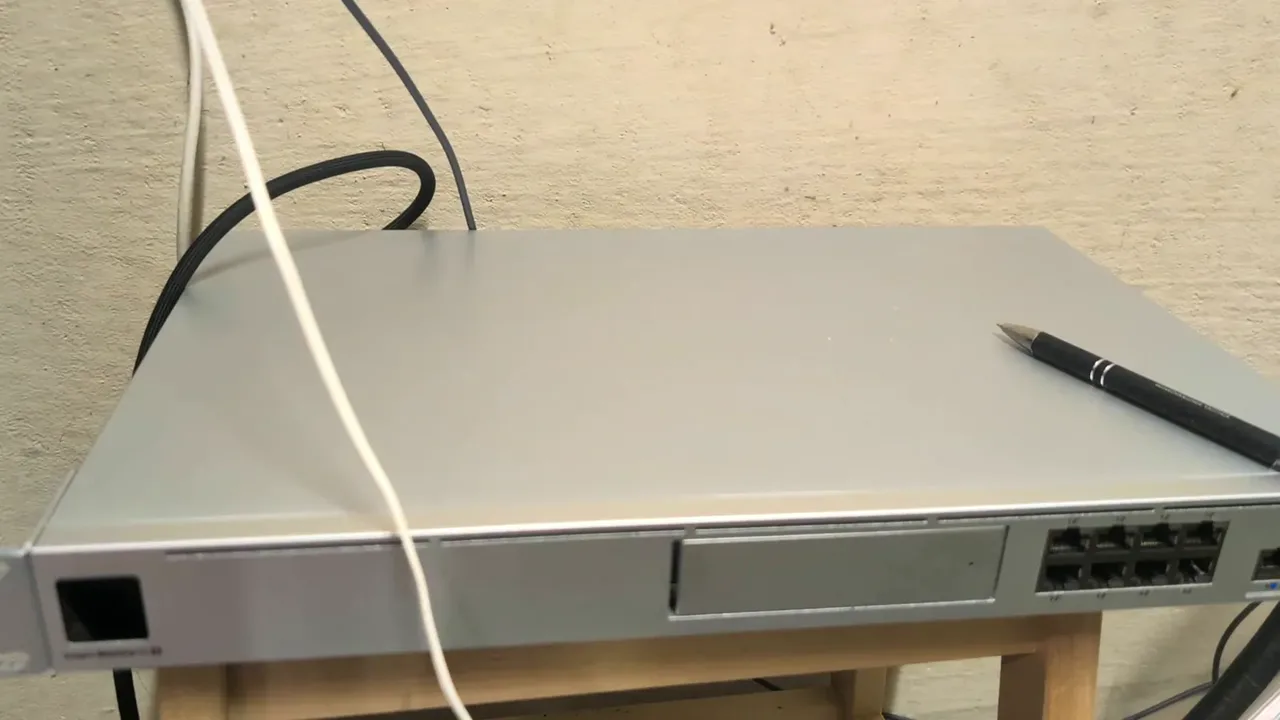
My UniFi Dream Machine SE can fail to boot normally if power disappears abruptly. It is the rack-mount Dream Machine, one of the earlier models, and a short power cut is enough to leave it stuck. I already knew about that, which is why an APC Back-UPS 650 was about to go in front of it. I shut the gateway down normally and unplugged it anyway, and it still would not boot normally.
I filmed the recovery on 24 November 2026. What follows is the sequence I walked through on camera: the cables come off, the unit sits unplugged, I hold the front Reset button while power goes back in, Recovery Mode comes up, I press Restart, and then the WAN cable goes back in. The settings stayed.
My setup
| Item | This gateway |
|---|---|
| Model | Ubiquiti UniFi Dream Machine Special Edition (UDM SE, model code UDMPROSE) |
| Board revision | 26 |
| UniFi OS | 6.0.17 |
| UniFi Network | 11.0.99 |
| After the fix | Same OS and Network versions. Settings kept. |
| History | Used unit. Exact age unknown. |
| Spare router | EdgeRouter X |

What I ran into
The UDM SE had been running fine. Because I knew a power failure could leave it unable to boot, I was going to put this APC Back-UPS 650 between the wall and the gateway. Before that UPS was in the path, I powered the Dream Machine down normally and unplugged it. That was enough. It would not boot up normally.
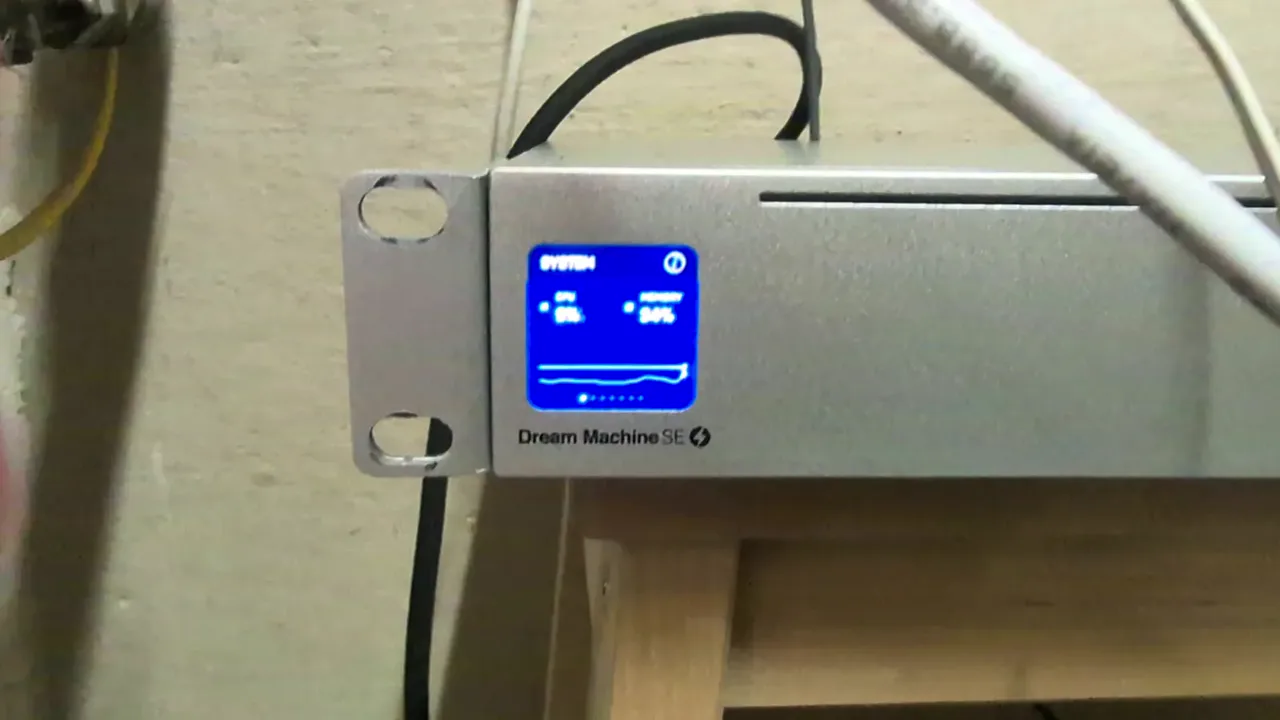
On camera I talk through the failure. The clip itself picks up at the recovery: the normal boot screen with “Est. Time Remaining: 5m”, Recovery Mode, a restart countdown, “Plug in Cable”, and the SYSTEM screen with CPU and memory. I am describing the stuck boot in the narration. I am not showing a separate stuck-boot frame in the stills below.
The steps I followed come from this r/Ubiquiti thread by hoffsta (“Is there a hardware fix for a UDM SE that won’t boot after power loss? Mine is out of warranty.”, 14 December 2025). That is the forum post. I said on camera that I would link it; I did not read the URL out loud. Bason Tech’s write-up is the other public walk-through of the same kind of recovery, and Ubiquiti’s Recovery Mode article is the official last-resort page. I separate those three below so the LCD Restart I pressed is not mixed up with a firmware upload.
Reset-button recovery, step by step
This is the guidance I walked through. Leave yourself the time. The unplugged wait is the long part.
1. Unplug Ethernet and power
Unplug all the Ethernet cables, and unplug the power cord from the wall. The cord can stay seated in the back of the UDM SE. The mains end is what has to be out. The instructions say to leave it like that for at least 20 minutes.
2. The prong step, as the instructions describe it
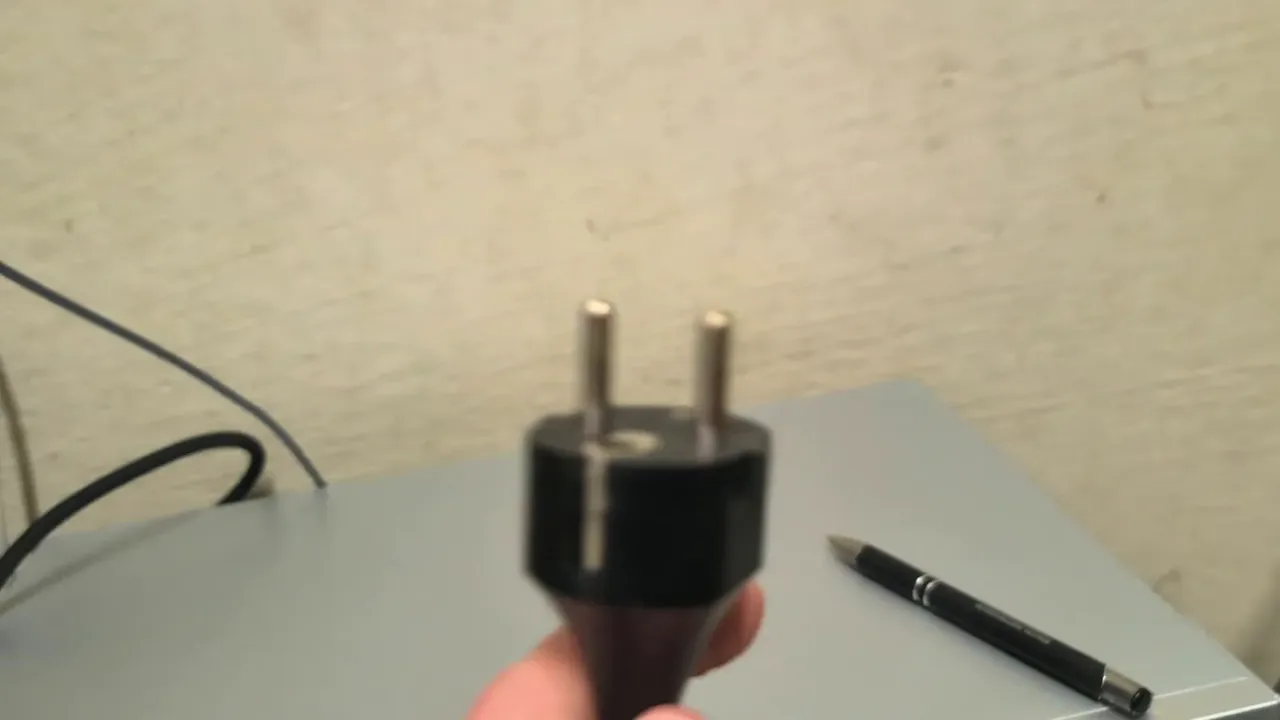
There is a strange step in the instructions: short the prongs of the power cable for at least 10 seconds while that cable is still plugged into the back of the device. The mains end is unplugged when you do this. If the gateway were in a rack, the same note says you could do that short to the rack. I do not have a rack, so I am not showing a ground to a cabinet. On camera I hold up the unplugged plug so the prongs are visible.
3. Hold Reset, plug power in, count to eight
Hold the reset button on the front while you plug the power cord back into the wall, and keep holding for eight seconds. Then let go.
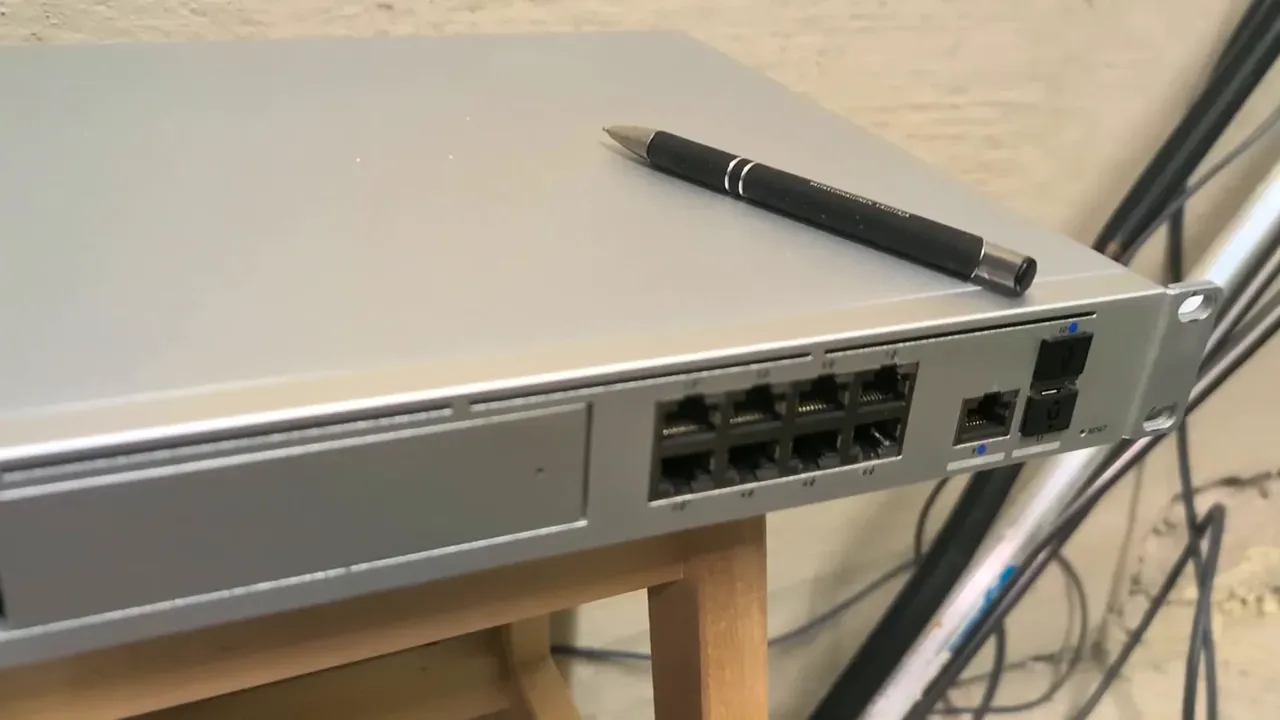
The button is labelled RESET, next to port 9 and the SFP cages. A pen works. You can feel and hear the click when it is actually down. While I was doing the hold I called it the power button twice. The chassis label is RESET. That is the button.
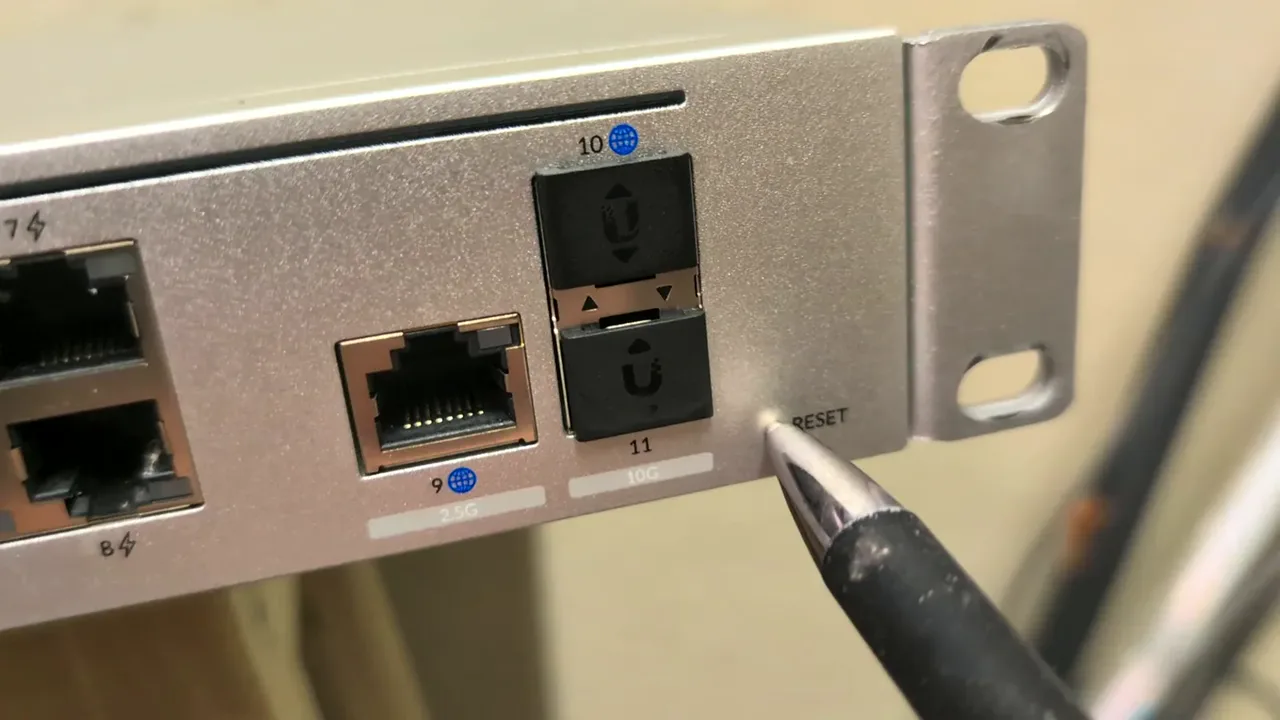
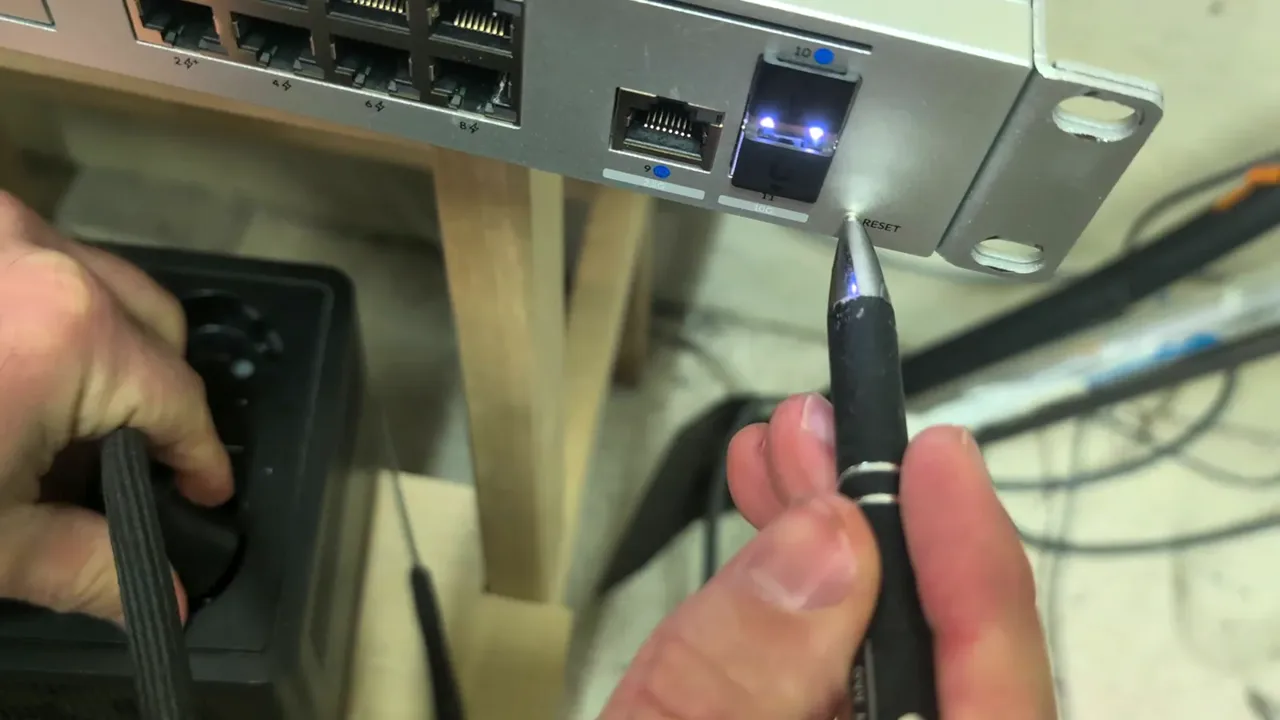
I counted it out loud: one through eight, then let go.
What the screen did next
The LCD went into the normal boot procedure and showed “Est. Time Remaining: 5m”.
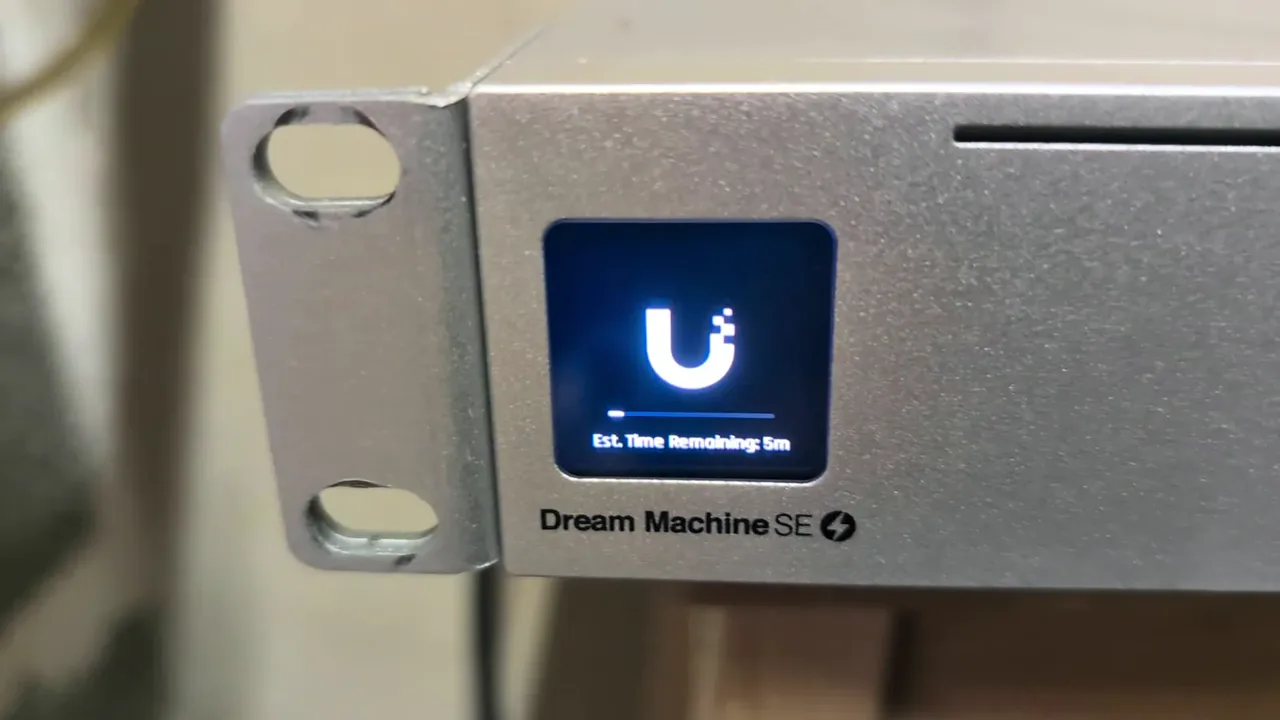
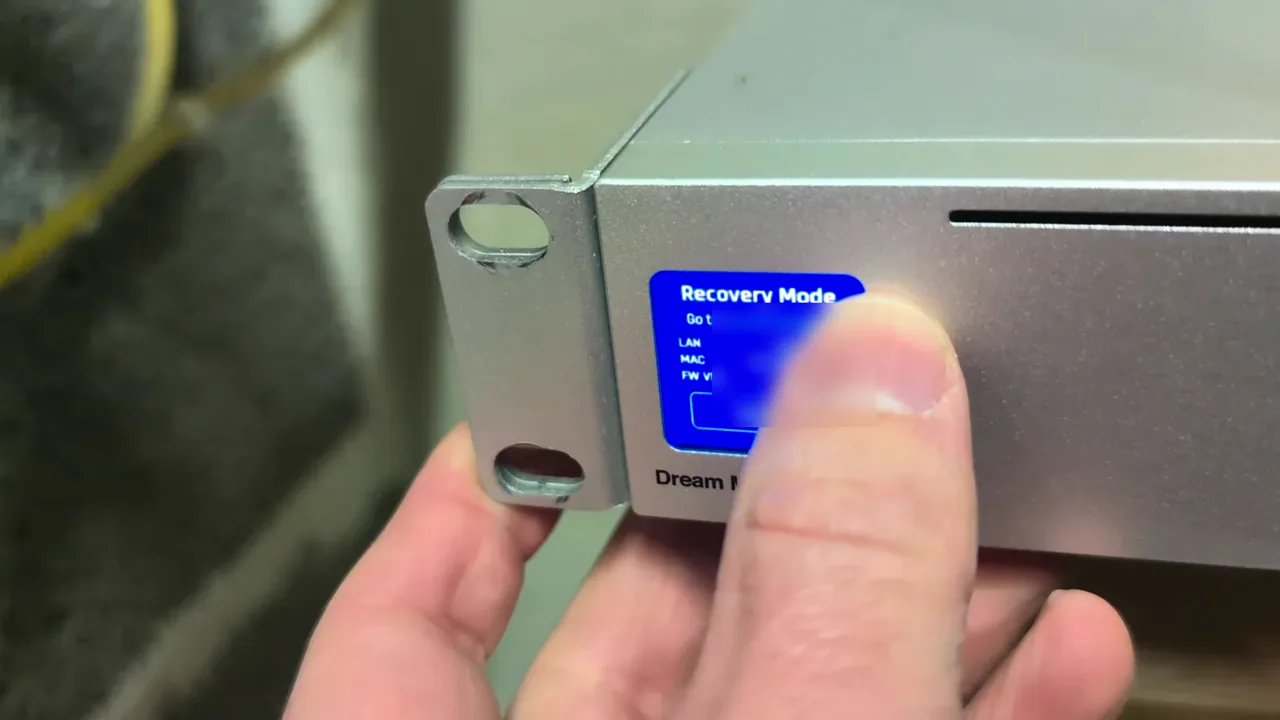
Then the screen changed to Recovery Mode, with a Restart button. I pressed Restart. It counted down — I said five seconds on camera; the still I grabbed reads “Restarting in 6s”. In between it said “restoring”, and then it was back to an estimated five minutes.
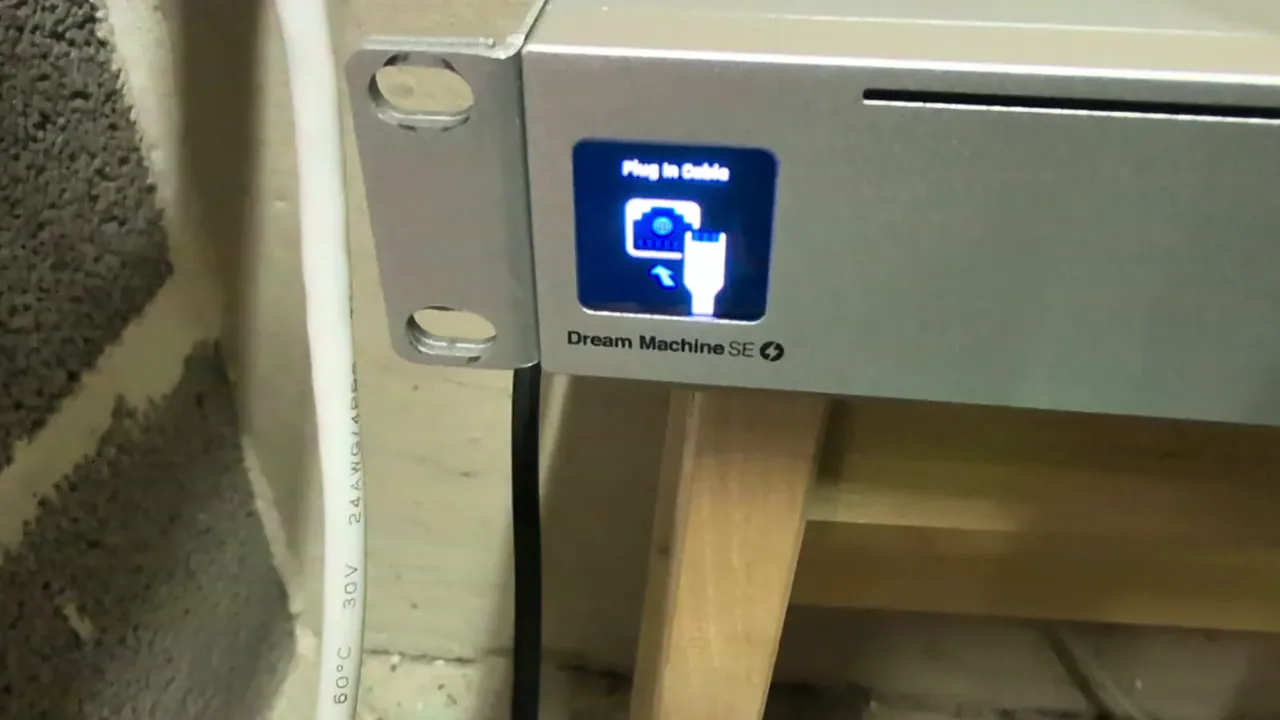
After that the screen said “Plug in Cable”. It was asking for the WAN cable. I plugged the WAN cable into the WAN port, port 9. It first said no internet detected. Then it said “network”, and I think it had found an internet connection. I plugged the rest of the cables back in.
The settings stayed. This pass left the configuration in place, and to me everything was functioning again. The SYSTEM screen came up with CPU and memory. I am not publishing addresses from the recovery screen.
Why this happens, as far as I will claim it
This is an early rack-mount Dream Machine SE, and the failure mode I hit is the one people describe after power is pulled. An abrupt cut can leave it unable to boot normally. A planned shutdown did the same thing to mine, before the UPS was installed.
hoffsta’s thread is a secondhand early UDM SE that will not boot after power loss and has to sit unplugged first. The comments are full of the same story: wait longer, sometimes an hour or more, and several people short the blades of the unplugged power cord to bleed the supply down faster. That is the prong step. I am not opening the chassis, and I am not naming a failed part. The thread is also where people compare notes on asking Ubiquiti for a replacement out of warranty. Some say support swapped the unit. Some say they were turned away. I have not filmed a replacement on this gateway. If you have had the issue, I asked on the video whether the manufacturer replaced yours, and whether you have a way back with less downtime.
Bason Tech’s guide from 11 August 2024 is the written list that matches the timing I used: at least 20 minutes unplugged, short the prongs, hold Reset for eight seconds from the moment power is applied, wait for Recovery Mode, then tap Restart. Bason credits Reddit user KazPinkerton for that advice, after a friend sent them a Reddit topic. Bason’s unit showed the message “it is taking a little longer”, and later a restart prompt. Treat that article as the other write-up of this recovery. My stills are the boot screen, Recovery Mode, “Plug in Cable”, and SYSTEM.
Ubiquiti’s official Recovery Mode help is a different job. They describe Recovery Mode as a last resort, often when power was lost during an update, and the cloud-gateway section goes on to a computer, a firmware file, and an upload. I did not do that upload. I pressed Restart on the LCD, and the settings were still there afterwards. Use their article if you actually need the firmware recovery. The same page notes that a power backup can keep an unexpected cut from happening in the first place.
A UPS, so a short cut does not start this
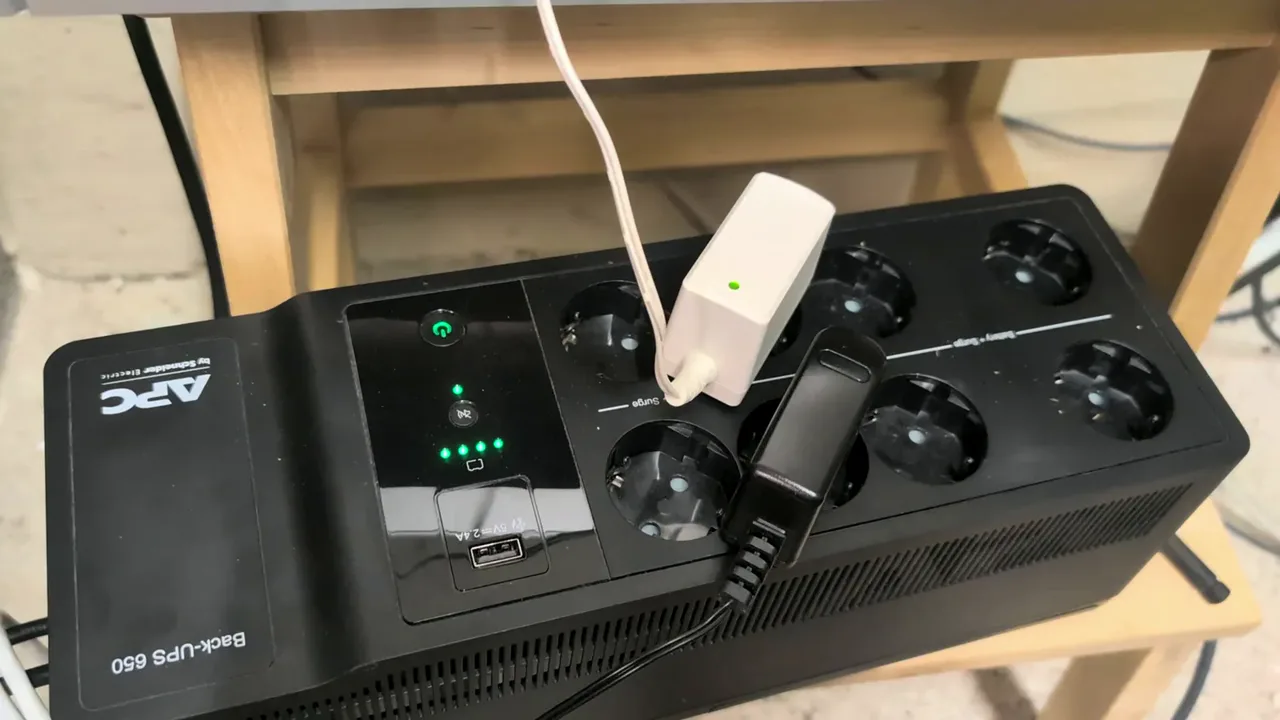
The APC in the video is the one I was about to add so a short outage would not drop the UDM SE. It is labelled APC Back-UPS 650 and it has EU Schuko outlets. Put the gateway on the battery outlets, not on a surge-only socket that dies with the mains.
A UPS does not repair a unit that is already stuck. It is how I plan to stay out of this procedure when the lights blink. My clean shutdown still ended in the same boot failure, so I am not treating “I shut it down properly” as protection. The battery is for the cut I do not get to shut down for.
My spare router: EdgeRouter X port layout
This note is for me, or for someone at home if the Dream Machine is down and the spare has to go in.
I kept a Ubiquiti EdgeRouter X for this. The model name is printed on the underside. Before any cable leaves the UDM SE, look at how it was plugged in there. That note is what makes the spare easy to swap, and the EdgeRouter already has its configuration and its fixed addresses stored on it. I am not printing those addresses here.
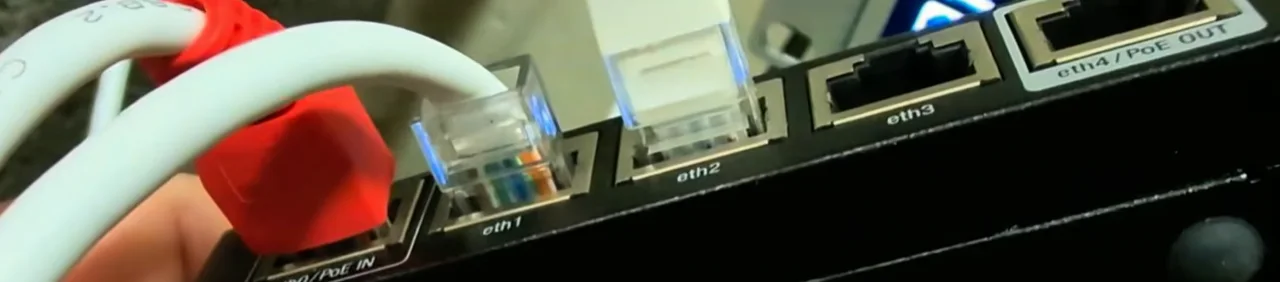
On the EdgeRouter X in the photo:
- eth0 / PoE IN — the red cable. Cat5e, red boot. That is the internet / WAN cable from the operator.
- eth1 — white cable. Home network (LAN).
- eth2 — white cable. Home network (LAN).
- eth3 — empty.
- eth4 / PoE OUT — empty.
If the UDM SE will not come back:
- Unplug the cables from the UDM SE.
- Plug the red WAN cable into eth0.
- Plug the LAN cables into eth1 and eth2.
- Power on the EdgeRouter X and wait a few minutes.
The Amazon link is only so the spare I already own is identifiable. I am not suggesting a new EdgeRouter X. When I published the video, that listing only had a used offer.
Ubiquiti EdgeRouter X (the spare I already have)
The Dream Machine SE itself
The gateway in the video is a UniFi Dream Machine SE. The link is the listing, not a claim that the current offer is a good one. When I published the video, the default seller on that page was poorly rated, so check who you are buying from before you order.
Is the UDM SE still current? (November 2026)
Yes. Ubiquiti still lists the Dream Machine Special Edition as a current rack gateway on the large-scale cloud gateways page, in the same table as the Dream Machine Pro, the Pro Max, and the Beast. On that page the SE is the model “enhanced with integrated PoE switching”. There is no direct successor in that lineup.
Dimitri Roschkowski’s UniFi gateway comparison, 16 November 2026, says the same thing outright: as of November 2026 there is no direct SE successor. The SE is still the only Dream Machine with built-in PoE, 180 W across eight PoE LAN ports. The two rack alternatives he sets beside it are:
- Dream Machine Pro Max — more capacity than the Pro and the SE, 5 Gbps with IPS, two drive bays, and no PoE.
- Dream Machine Beast — new in 2026, the 25G flagship, and no PoE.
If the gateway itself has to power the access points and cameras, that comparison still points at the SE, or at a separate PoE switch next to a Pro Max. Ubiquiti’s own table matches the split: Pro Max at 5 Gbps IDS/IPS with two 3.5-inch bays, Beast as the 25 Gbps cloud gateway, SE as the integrated-PoE rack model.
Practical tips from this recovery
- Unplug every Ethernet cable and the mains end of the power cord. Leave it at least 20 minutes.
- The prong step is done with the mains end unplugged, for at least 10 seconds, with the other end still in the back of the UDM. I do not have a rack, so I did not ground the plug to a cabinet.
- Hold the button labelled RESET, with a pen if that is what reaches it. Count eight seconds after power is connected, then release.
- When Recovery Mode shows a Restart button, that press is what I used. I did not upload firmware from a computer.
- “Plug in Cable” means the WAN cable, into port 9. Mine said no internet detected first, then “network”.
- The settings stayed on this unit. Read that as the configuration still being there when the SYSTEM screen came up.
- Put the gateway on a UPS before the next short cut. The Back-UPS 650 is the model I was adding.
- If you have to fall back to the EdgeRouter X, red WAN cable to eth0, LAN cables to eth1 and eth2, then power on and wait a few minutes. Write down the UDM cable layout before you pull them.
FAQ
What do I do if a UDM SE will not boot after a power cut?
Unplug all Ethernet and the power cord, and leave the mains end unplugged for at least 20 minutes. Do the prong step from the instructions (mains end unplugged, at least 10 seconds). Hold the front RESET button, plug power back in, keep holding for eight seconds, and let go. When Recovery Mode appears, press Restart. When the screen says “Plug in Cable”, put the WAN cable in port 9, then the rest of the cables.
Which button is the reset button?
The one labelled RESET on the front, beside port 9. A pen reaches it, and you can feel and hear the click. I misspoke and called it the power button while I was holding it. The label on the chassis is RESET.
Did this factory-reset the Dream Machine?
The settings stayed. When the unit came back, the configuration was still there and the SYSTEM screen was showing CPU and memory. UniFi OS stayed on 6.0.17 and UniFi Network stayed on 11.0.99. I am not publishing the addresses from Recovery Mode.
Is the UDM SE still current in November 2026?
Yes. Ubiquiti still lists the Dream Machine Special Edition on its large-scale cloud gateways page. Dimitri Roschkowski’s comparison of 16 November 2026 says there is no direct successor, and that the SE is still the only Dream Machine with built-in 180 W PoE on eight LAN ports. The Dream Machine Pro Max has more capacity, 5 Gbps IPS, and two drive bays, without PoE. The Dream Machine Beast, new in 2026, is the 25G flagship, also without PoE.
How is this different from Ubiquiti’s official Recovery Mode?
Ubiquiti’s Recovery Mode article is their last-resort firmware recovery, including a computer and a firmware upload for cloud gateways. I pressed Restart on the LCD and did not do that upload. Use their article if you need the firmware path.
Where did these steps come from?
From hoffsta’s r/Ubiquiti thread about an early UDM SE that will not boot after power loss. Bason Tech’s 11 August 2024 guide writes up the same timings and credits Reddit user KazPinkerton. Bason’s screen said “it is taking a little longer”. That line is their article, not a frame in my video.
Will a UPS stop this?
A UPS is what I was adding so a short outage would not pull power on the UDM SE. It does not revive a gateway that is already stuck. My own failure happened after a normal shutdown and an unplug, before the Back-UPS was in front of it. I would still put the gateway on the battery side of a Back-UPS 650.
How do I swap in the EdgeRouter X?
Unplug the cables from the UDM SE. Plug the red operator WAN cable into eth0. Plug the home LAN cables into eth1 and eth2. eth3 and eth4 stay empty. Power the EdgeRouter X on and wait a few minutes. Note the cable layout on the Dream Machine first, and leave the EdgeRouter’s saved configuration and fixed addresses on the device. I am not listing those addresses.
Is the EdgeRouter X a recommendation to buy one?
No. It is the spare I already had on hand. The link is the listing for that model. When I published the video it only had a used offer.
Are the Amazon links the exact hardware in the photos?
The Dream Machine SE link is the UDM SE. The APC link is the US BE650G1, same 650 VA Back-UPS family as the Schuko unit on camera, not necessarily the same regional socket. The EdgeRouter X link is the spare I already own.
Sources and further reading
- hoffsta, r/Ubiquiti, 14 December 2025. Is there a hardware fix for a UDM SE that won’t boot after power loss? Mine is out of warranty. The thread this fix came from.
- Bason Tech, 11 August 2024. UniFi Dream Machine SE — is taking a little longer. Alternative write-up of the same recovery, for the “it is taking a little longer” screen, crediting Reddit user KazPinkerton.
- Ubiquiti Help Center. UniFi Recovery Mode. Official last-resort recovery, including the firmware-upload path I did not use.
- Ubiquiti. Large-scale UniFi cloud gateways (EU). Current rack lineup, including the Dream Machine Special Edition, checked November 2026.
- Dimitri Roschkowski, mytech-home.de, 16 November 2026. UniFi Gateway Vergleich 2026. Gateway comparison used for the “still current” note: no direct SE successor, 180 W PoE on eight LAN ports, Pro Max and Beast without PoE.
If this matched what your gateway did, the video is UniFi Dream Machine SE Won’t Boot After a Power Cut (Reset Button Fix). Comments there are the right place for a replacement story or a faster fix.